Invoices paid twice or overpaid
Invoices are checked against what was ordered and received, and duplicates are flagged before anyone pays.
Restaurant operating systemProduct preview
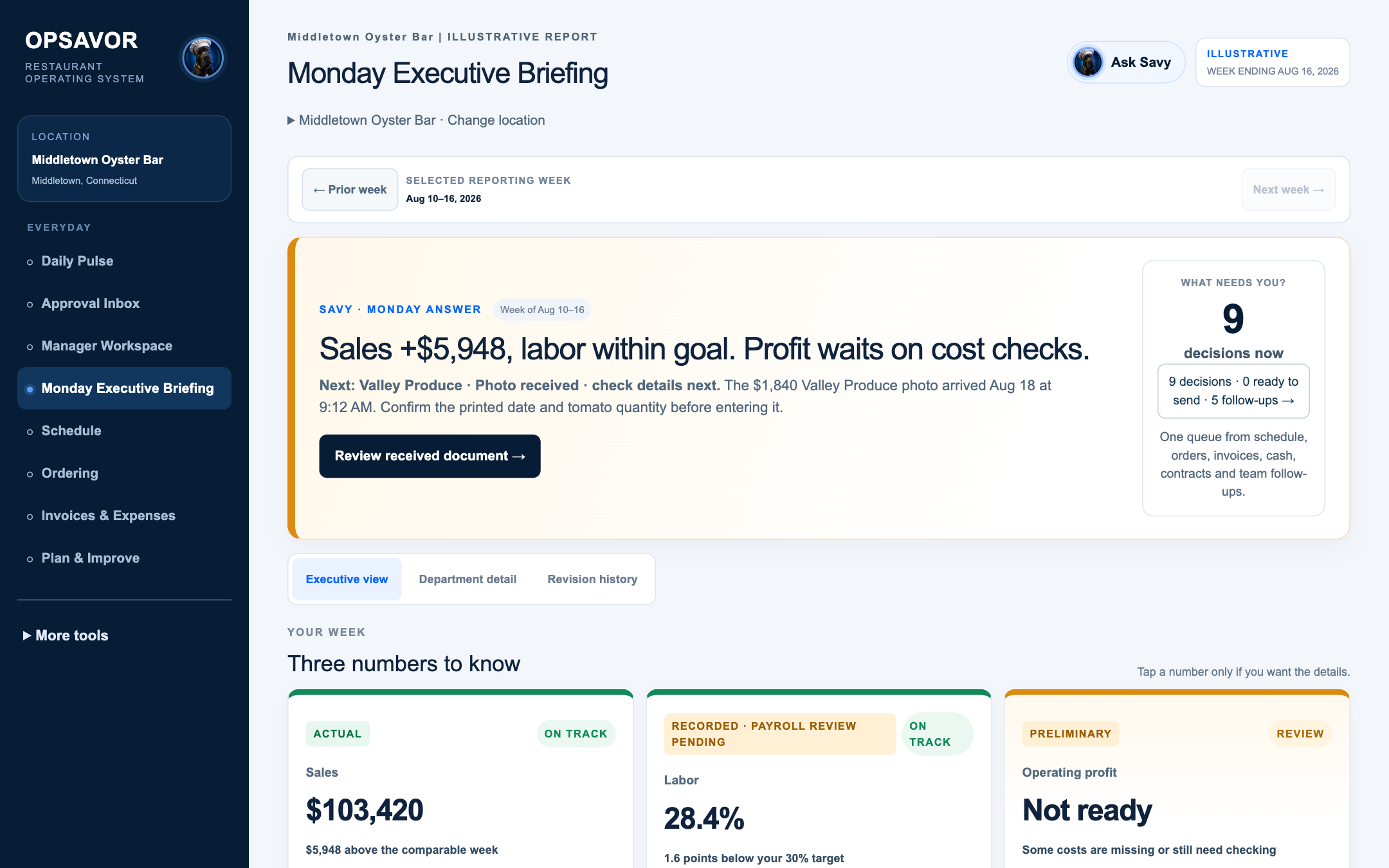
OPSAVOR brings the schedule, orders, invoices, payroll, cash and sales into one owner view. Savy, its intelligence core, tells you what needs you, what you are spending, whether you are within your goals and what to do next, in dollars and dates.
The owner demo runs on fictional restaurants and sample data. It connects to no real business and moves no money.
Why OPSAVOR
Sales live in the POS, hours in the payroll portal, invoices in supplier email, cash in the bank and goals in a spreadsheet. Owners spend their evenings putting the picture together, and problems still surface late.
Invoices are checked against what was ordered and received, and duplicates are flagged before anyone pays.
A short delivery becomes a credit request. It counts as recovered only when the supplier’s credit shows up.
Schedule cost is compared with the budget and each department’s goal before the schedule is published.
Cleared cash, expected deposits and bills due are laid out by date, so a shortfall shows before payday.
The intelligence core
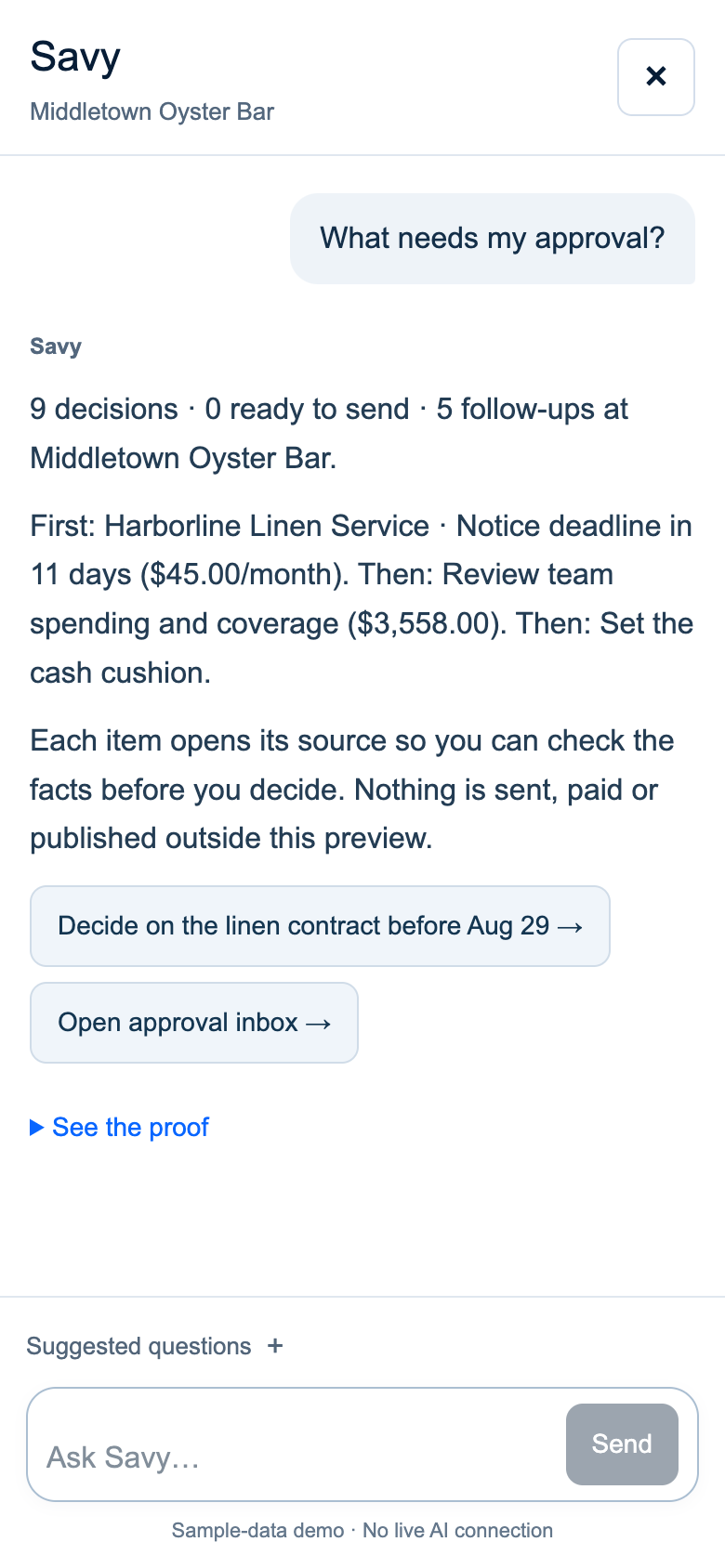
Every workspace feeds the same core. It turns exceptions into decisions, and Savy explains each one with its evidence.
Schedules, orders, deliveries, invoices, expenses, contracts, cash, payroll and manager follow-ups become one list. Each item has its reason, its amount, the person responsible and one next step that opens the exact record.
Ask in plain language. Savy answers with the period, the location and the basis of every number, shows the proof, and says when something has not been supplied instead of guessing.
Daily Pulse covers today and the Monday briefing covers last week. Every screen opens with the answer and how it compares with your goal. The detail is one tap away.
One system around the core
Managers, chefs and bar managers run schedules, orders, deliveries, counts and closing reports in the same system the owner reads, so every answer is built from the work itself.
What needs me, and what do I do first?
Daily Pulse · Approval Inbox · Monday briefing
What will staffing cost, and is it within goal?
Schedule · Labor and payroll · Manager workspace
Was it delivered right and billed fairly?
Ordering · Deliveries and invoices · Inventory
Are the records complete and reconciled?
Invoices and expenses · Sales to bank · Close checklist
What can I safely spend?
Available cash · Payment planning · Thirteen-week cash
How did we sell, and are we ready for service?
Sales · Reservations · Menu decisions
Why do the same problems keep coming back?
Tomorrow’s plan · Supplier claims · Recurring problems
What are guests saying?
Guest relationships · Google reviews · Social (optional add‑on)
Numbers you can trust
Received, entered, matched, approved, sent, paid and settled stay separate states, and every figure carries its basis.
Works with what you run
OPSAVOR is not a POS, a payroll service or an accounting ledger. It reads from them with the owner’s permission and keeps the original document or export beside every number.
Connections are built and proven with pilot restaurants. The product preview uses sample records only.
Where OPSAVOR is today
The product preview runs end to end on desktop and phone: 49 screens, three fictional restaurants and a group view. Each stage reaches restaurants only after it passes its acceptance tests on real data.
Owner journeys on desktop and phone with fictional restaurants, open for owner and technical review.
Invoice and expense intake, schedule cost, order approval, the owner queue and Savy on a pilot restaurant’s connected data.
Receiving and supplier credits, the manager’s closing handoff, and read-only POS, payroll and bank data.
Sales-to-bank and statement reconciliation, payroll approval, the close with the accountant and thirteen-week cash.
Multi-location administration and reporting, plus the reputation and publishing add‑on.
Founder
OPSAVOR was shaped by years inside a family restaurant operation, not by studying the business from the outside.
Joey grew up working beside his father and later took on a full-time operating role after leaving the military. He lived the pressure of payroll, scheduling, invoices, inventory, costs and constant daily problems firsthand.
The information needed to run the restaurant already existed, but it was scattered across reports, systems, spreadsheets and conversations. OPSAVOR brings that evidence together so owners can see what is happening, what changed and what deserves attention.
Joey · Founder
Explore the owner demo, then tell us what would make OPSAVOR worth it for your restaurant. The feedback form takes about three minutes.